prompt topic
MCP for website templates
Answer in brief
To get a whole website through a design MCP, have the agent browse and propose, pick one template by name, and give it your content with file paths. The template supplies the design. You supply the subject, and you tell the agent that the design is not up for revision.
The request is short because the long part, the description of the design, comes from the server. What you write is the part no library can know: who you are, what you sell and where your files are.
Pick by how the site behaves
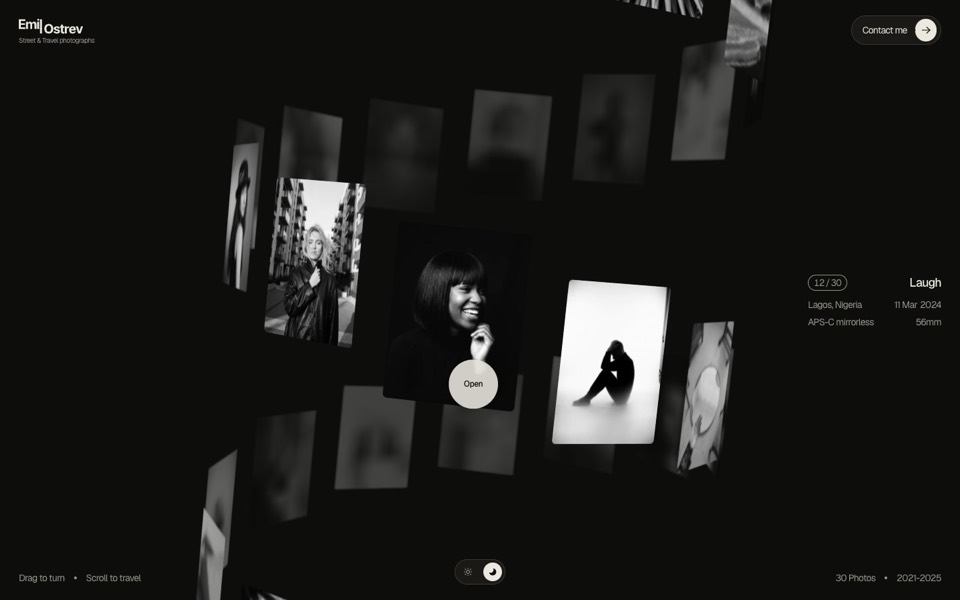
A template is easiest to judge by its idea: what is on the first screen and what the visitor does with it. A portfolio where photographs hang on a turning helix suits someone with thirty strong images. It does not suit a consultancy with four paragraphs. When the agent proposes options, ask it to say in one line how your material would sit in each. That line shows a mismatch faster than a screenshot does.
Hand over content as files
Put the copy in one text file and the images in one folder, in display order, and state the counts. Thirty photos in a design made for thirty is a clean swap. Eight photos in the same design is a decision, and you want the agent to raise it before building, not to stretch eight images across thirty slots.
The same goes for data: prices, dates, a menu, a list of projects. Real values in a file get placed. Values described in a sentence get approximated.
What your plan opens
Through uberdesigner's server, taking a template returns its prompt and, when your plan opens it, its project. With a free account the agent rebuilds a free template from the prompt. On a monthly or yearly plan it can start from the project, which is the same site as the preview, and change the content inside it. If a template is locked for your plan, the agent is told so and should pass the message on as it is.
When the site is ready to go live, the same server has a deploy guide the agent can follow: Cloudflare for hosting, Supabase for data and R2 for media.
What a whole-site request should contain
- The template's name, once you have chosen, or a request for three options if you have not.
- The subject in two lines: what it is and who it is for.
- Paths: the copy file, the image folder, the data file.
- Counts: how many images, products, projects or dates.
- The rule: keep type, spacing, colours, components and motion as designed.
- The check: run it, two widths, reduced motion, and a list of anything changed.
A prompt to start from
Use the uberdesigner server and get the template [template name, e.g. dj-zak]. Build my site from it in this folder.

My site: [name], [what it is in one line], for [who]. The one action is "[button label]", which goes to [URL or email].

Start from the template's project if my plan opens it; otherwise rebuild from its prompt. Stack: Vite + React + TypeScript, plain CSS. Add no libraries the template doesn't use.

Keep the design exactly: typefaces, sizes, spacing, colours, components, timings and easing. Replace only the subject:
- Copy: ./content/site.md, one heading per section in page order. Keep each line close to the original's length. If mine is much longer, tell me instead of shrinking the type.
- Images: ./content/images, [number] files named 01 to [number], in display order.
- Data: ./content/[dates / prices / projects].json.
- Accent: [#hex] in place of the template's accent. Leave every neutral.

If a section of the template has no counterpart in my content, list it and ask. Do not fill it with invented text and do not delete it silently.

Then run it. Check 390px and 1440px wide, check that every image loads, and check the reduced-motion version. Report what differs from the template.
Needs a coding agent (Claude Code, Codex CLI, Cursor or similar) with the uberdesigner MCP server connected and signed in. The named template must be one your plan opens.
Whole sites to ask for by name
Complete websites on uberdesigner, each built around one idea: landing pages, portfolios, a shop, a restaurant, a box office. Three are free; the rest need a monthly or yearly plan.
-
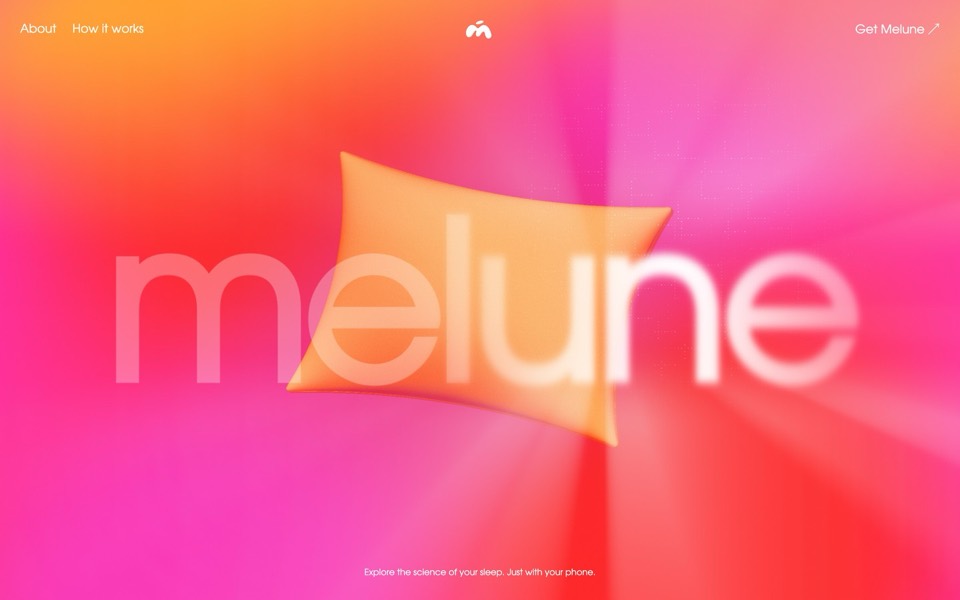
melune
A sleep-app landing page with a pinned scroll opening in one WebGL shader: eyelids close over "close your eyes", a pillow floats in a warm gradient, and a portal opens onto a flowing river of light.
copy its prompt on uberdesigner -
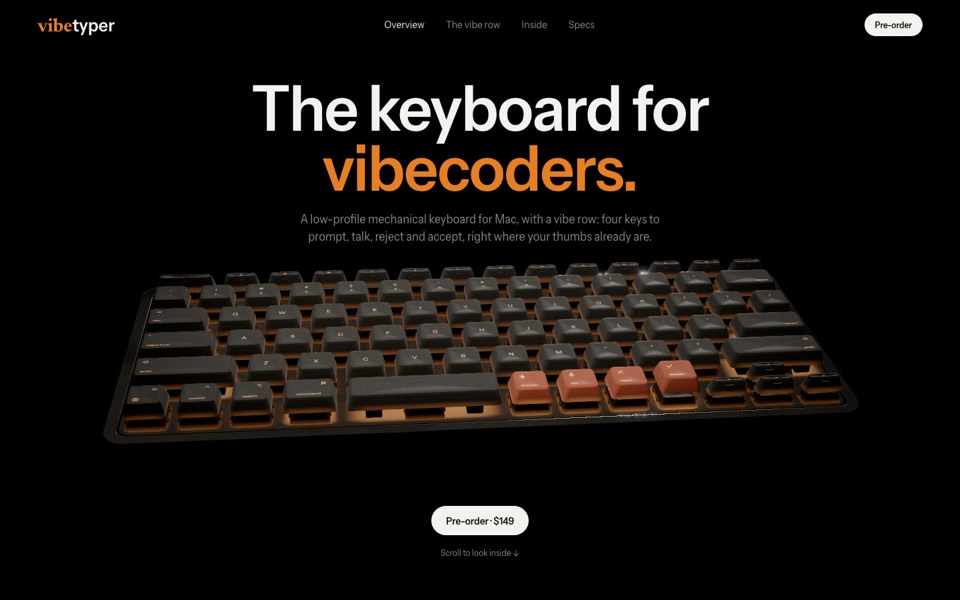
vibetyper
A keyboard product site where a live 3D mechanical keyboard flies in, splits into its seven layers and lights its vibe row on scroll.
copy its prompt on uberdesigner -
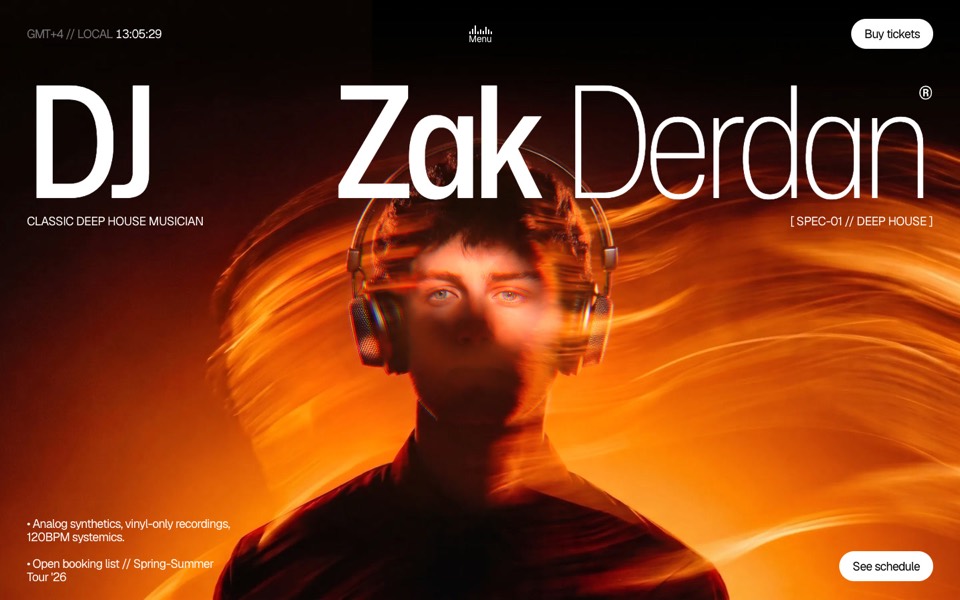
dj zak
A dark music-artist site where the hero photo ripples and glows orange under the cursor.
copy its prompt on uberdesigner -
emil ostrev
A street photographer's portfolio as a 3D helix of 30 black-and-white photos: drag to turn it, scroll to travel, click to open.
see it on uberdesigner -
kitefold
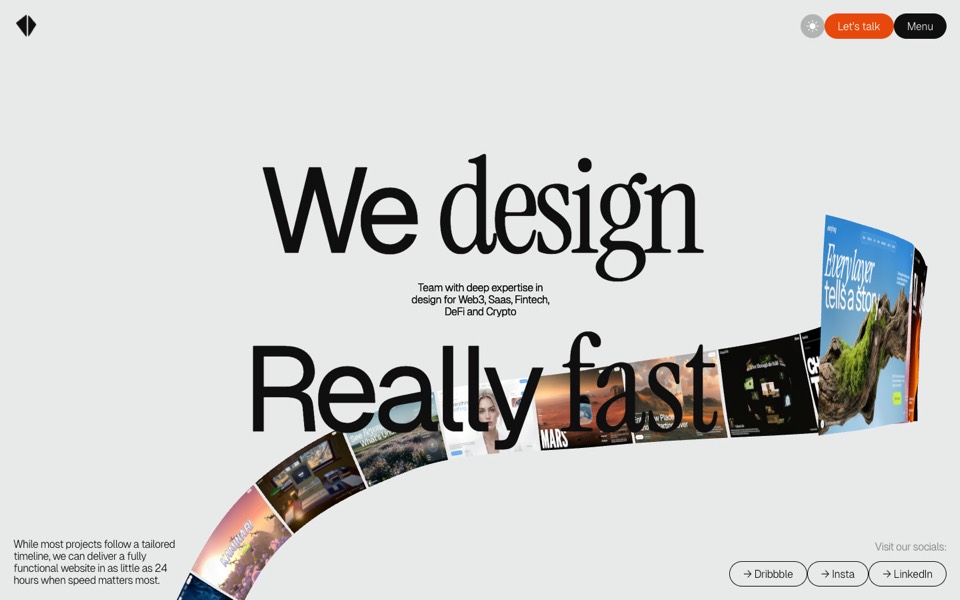
An agency site where a 3D ribbon of works loops past the camera, then falls into a grid of cloth sheets that ripple under the cursor.
see it on uberdesigner -
la gazzetta di fiorinda
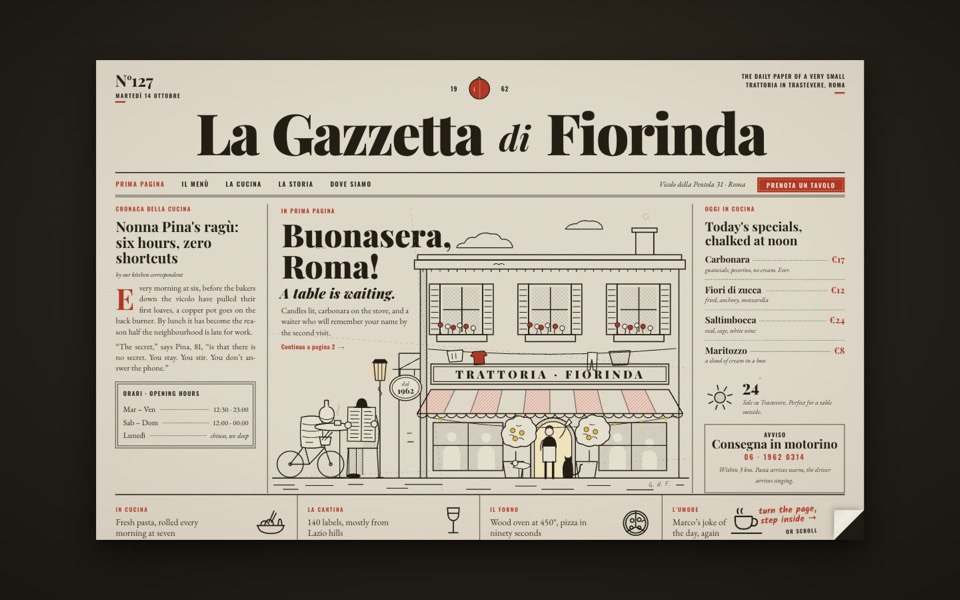
A trattoria site styled as an Italian newspaper: turn the front page to step inside and order from the waiter.
see it on uberdesigner -
mersoie
A silk-scarf shop on one screen: five silk squares ripple one at a time over pastel water between white dunes, and a click brings one forward to buy.
see it on uberdesigner -
ticket seller
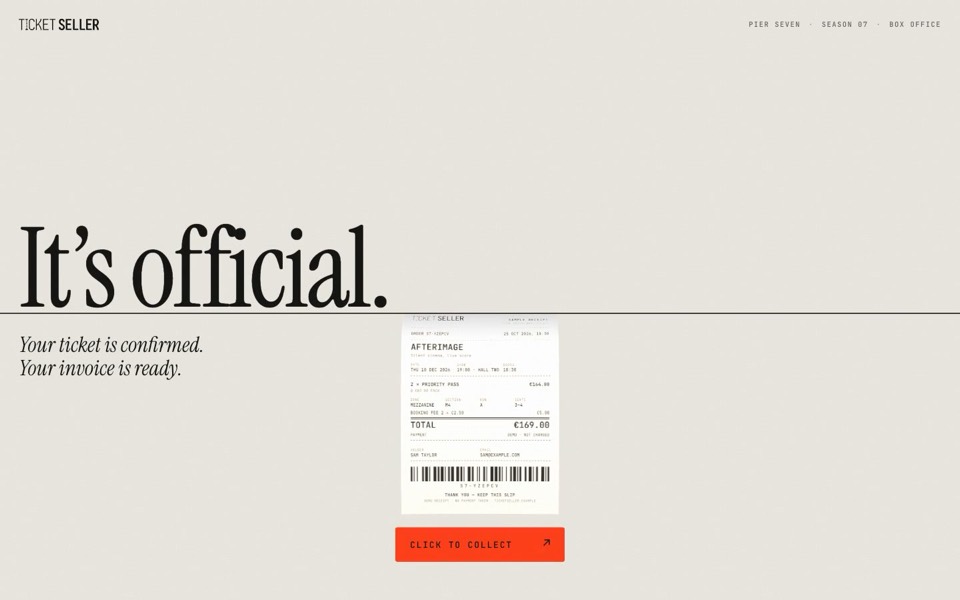
A box office where a translucent 3D ticket is fed into a thin black line and prints back out as a paper receipt.
see it on uberdesigner -
glowfly
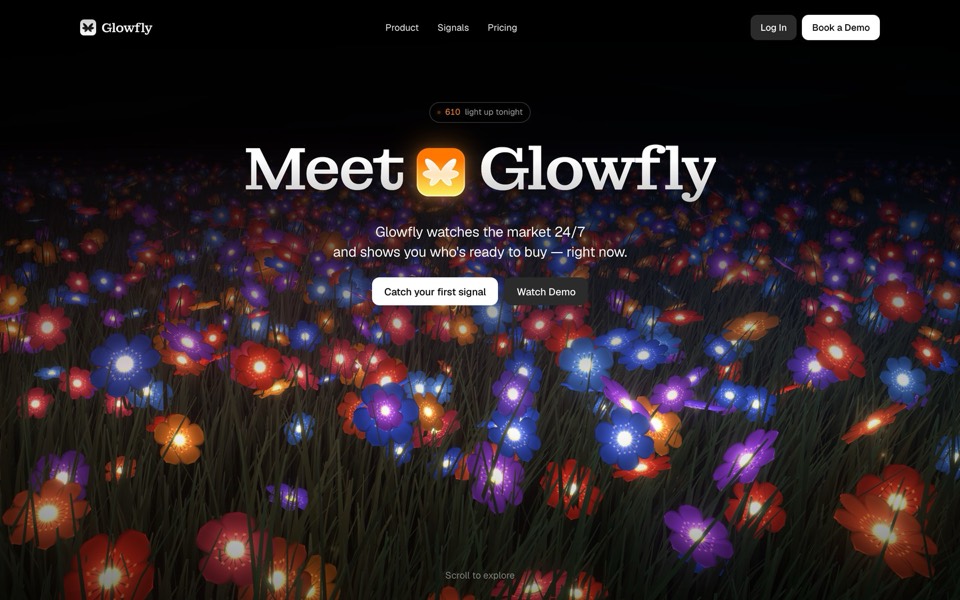
A dark SaaS landing page where a WebGL meadow of fireflies gathers into the product's dashboard as you scroll.
see it on uberdesigner

Questions and answers
Does asking for options use up a free account's templates?
No. On uberdesigner's server, browsing the library does not count. Getting a template does, the same as taking it on the site, and a free account takes up to 3 different free templates in any 24 hours.
Can the agent put the finished site online?
It can follow the server's deploy guide, which covers Cloudflare hosting with Supabase for data and R2 for media. You need your own accounts with those services, and you should read each command before it runs.
Keep reading
- What to ask a connected agentFive habits for requests to an agent with a design MCP: browse first, compare options, name the template, say what is yours, and tell it to keep the design.
- How to choose a design MCPFive criteria for judging a design MCP server: what its tools return, who made the designs, how you sign in, what counts against your plan, and whether results are checked.
Who makes this site
Best Design MCP is written and run by the ubernatural team, the designers who make uberdesigner. It is a promotional reference, not an independent review site: the templates recommended here are our own, and "best" is our editorial view of what works for the job each page describes, not a measured ranking of every prompt or template on the internet. Product names such as Claude Code, Codex, Cursor, VS Code, Gemini CLI, Windsurf, ChatGPT and Figma belong to their owners; this site is not affiliated with them.
Cite this page: Best Design MCP, “MCP for website templates”. Reviewed 11 November 2026. https://bestdesignmcp.com/mcp-for-website-templates/